Windows · Android · Local AI

Nova

An AI assistant that lives on your PC.

Nova runs its own language model on your own hardware. It chats, searches the web, opens apps, works with your files, writes code and draws pictures, with no cloud AI behind it.

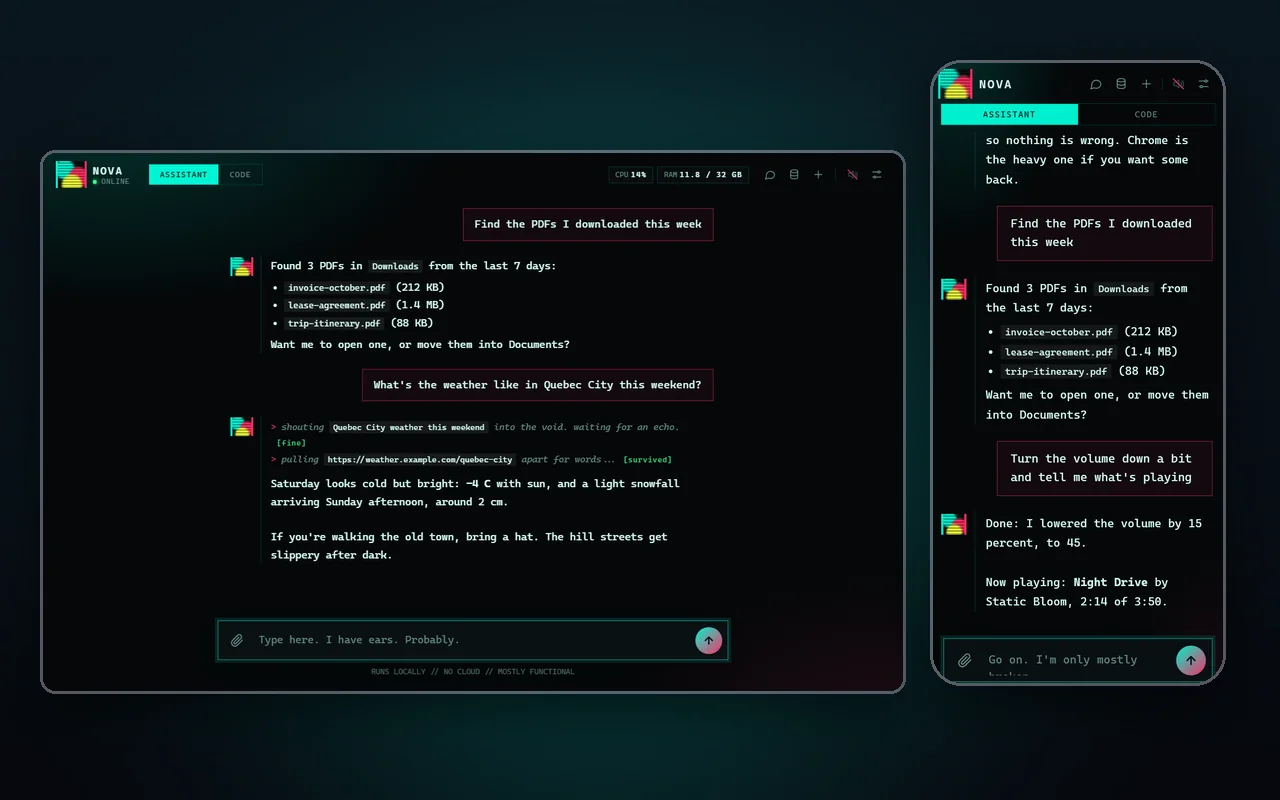
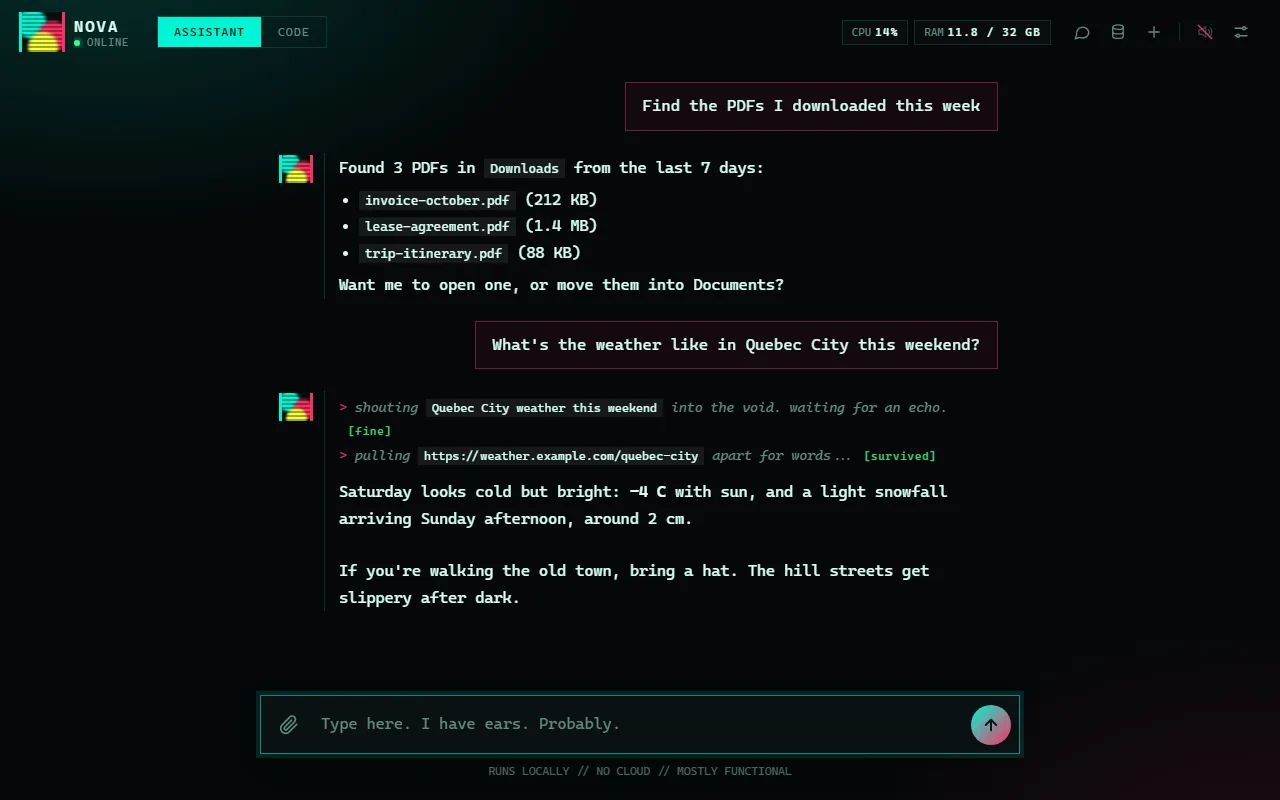
Nova's chat window on a PC, showing a conversation with live narration of a web search, beside the same chat on a phone.
Platforms
Windows, Android app
Built with
Python, llama.cpp, C#
AI runs
On your PC
Status
Free to download

What it is

Nova is the assistant I wanted to own: its own window, its own AI engine and its own memory, all on my PC. There's no Ollama to install, no browser tab and no cloud AI to pay for or to send anything to.

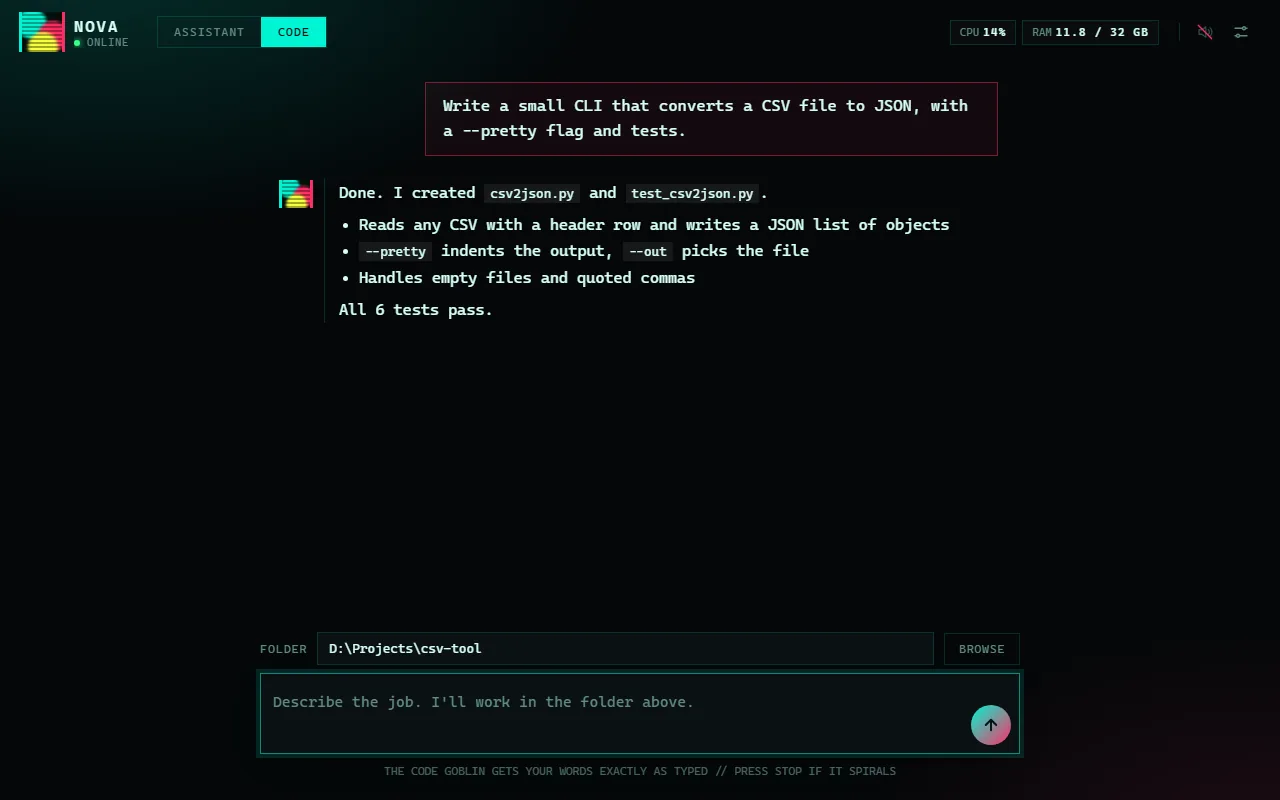
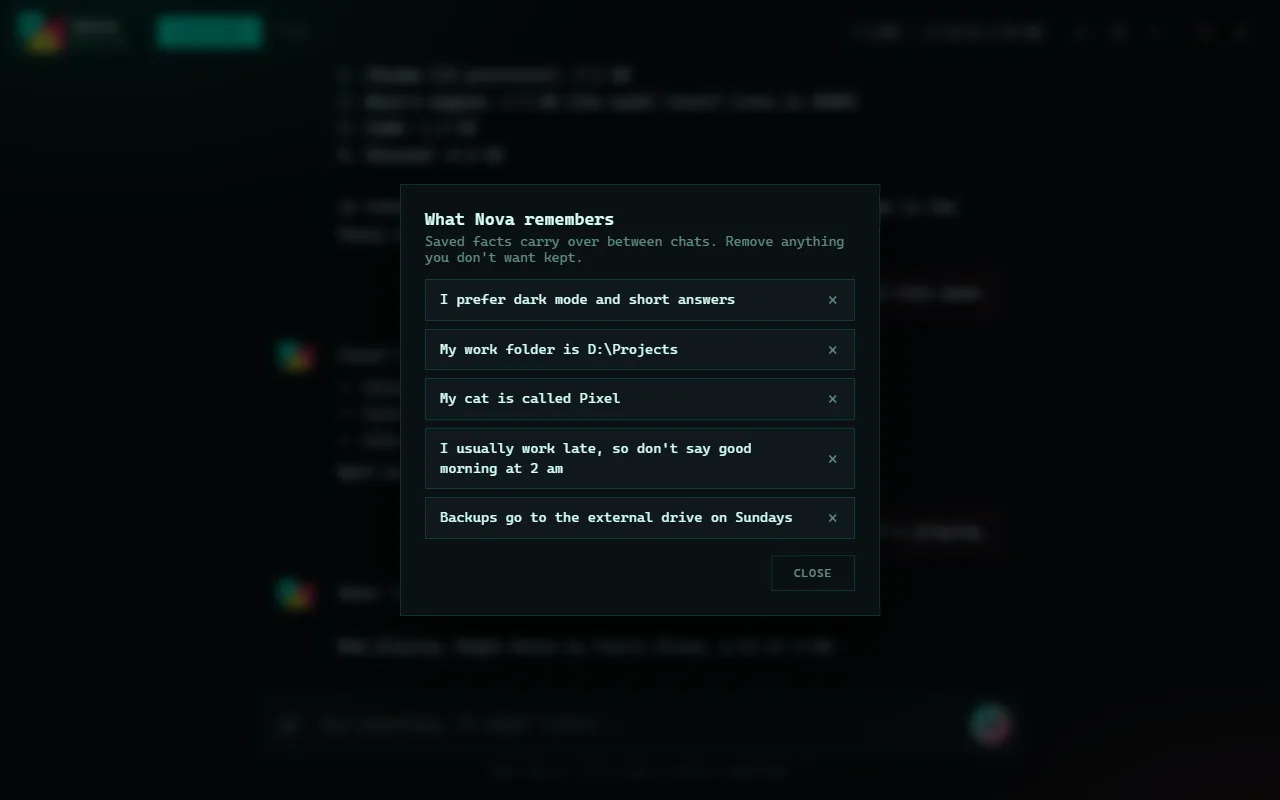
It's a chat that can act. Ask it to find files, open an app, change the volume, look something up or run a command, and it does it, muttering what it's doing as it works. It remembers facts you tell it, keeps every conversation, and has a Code tab with an agent that writes and tests code in a folder you pick.

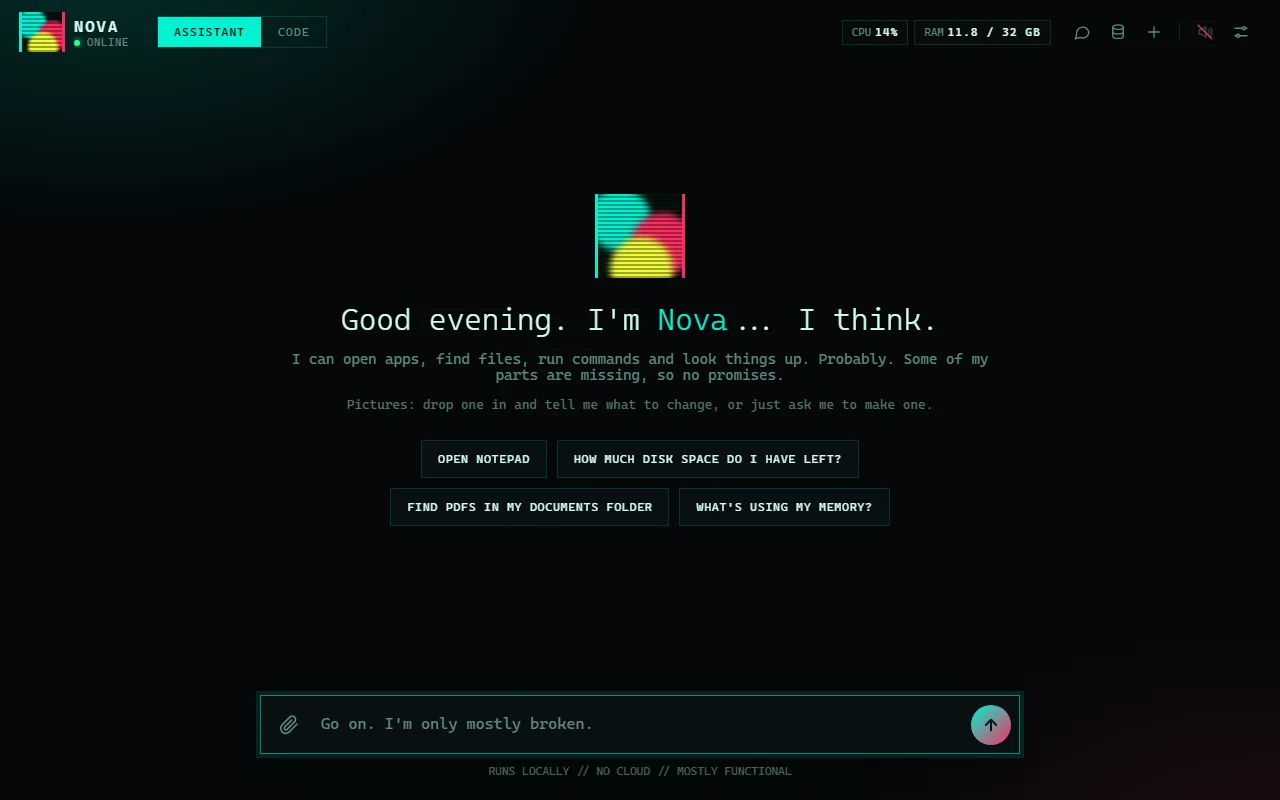
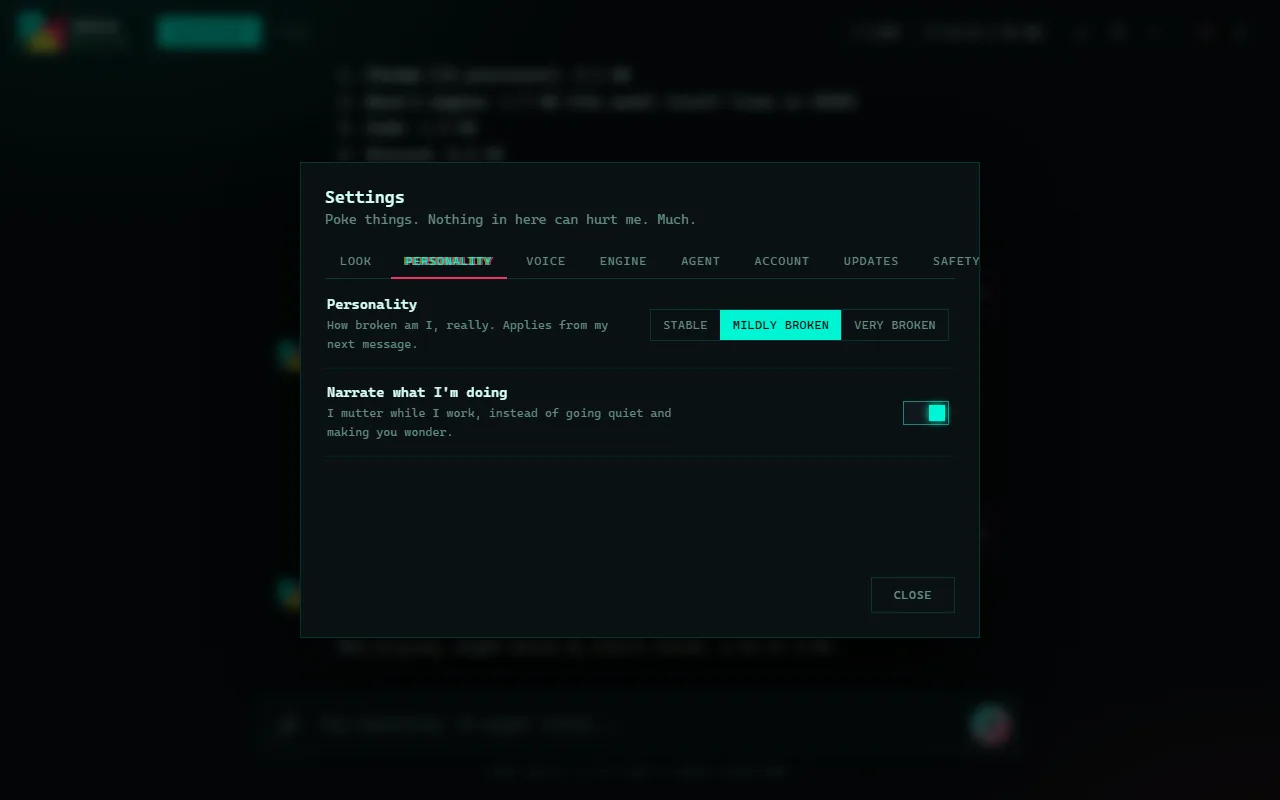
It's also a little broken on purpose. The interface is a glitching terminal, and Nova talks like an assistant that's only mostly functional. You can turn the glitching and the personality all the way down.

Nova is a personal project, free to download below. Its source is private. The Windows installer isn't code-signed yet, so Windows will warn you before installing. The screenshots use staged conversations and made-up data, not real chats.

Download

Get Nova.

Version 1.1.3. The AI runs on your PC, so a recent graphics card with plenty of video memory works best.

  • Windows

Windows installer

A small installer, about 1 MB, that reads your graphics card and memory, suggests models that suit your PC, then downloads the engine and the models you choose, with a progress bar. Downloads resume if they're interrupted. It isn't code-signed yet, so Windows SmartScreen may warn you: choose More info, then Run anyway.

Download for Windows
  • Android

Android phone app

Connects to Nova on your PC over your home Wi-Fi, or anywhere through Tailscale, so install Nova on the PC first. Android will ask you to allow installing from an unknown source for whichever app opens the file.

Download for Android

Screenshots

What it looks like.

On your phone

The same Nova, in your pocket.

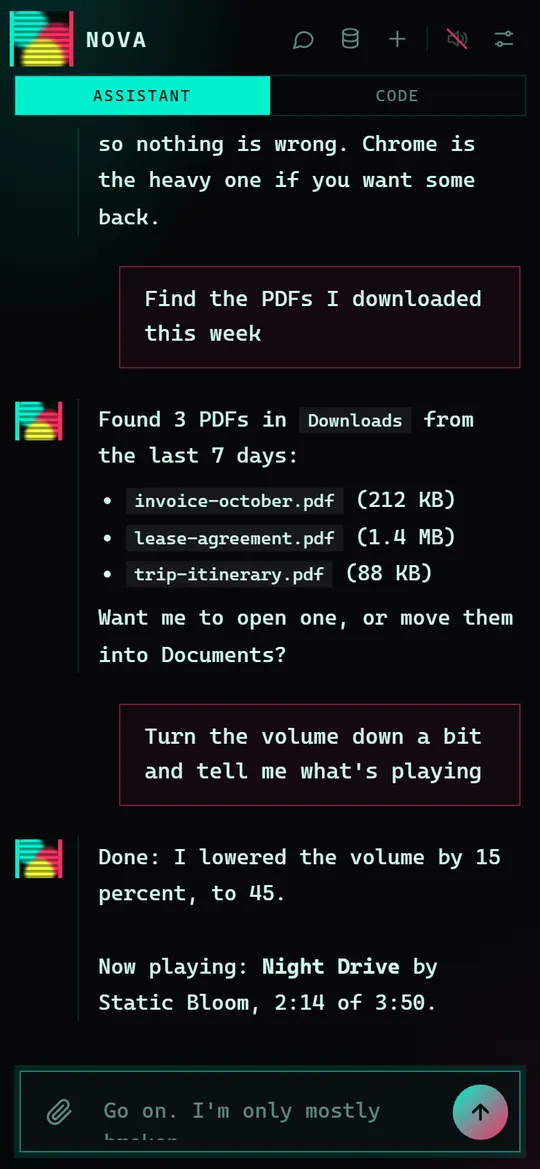
An Android app connects to Nova on the PC over your home Wi-Fi, or from anywhere through Tailscale, and signs in as the same account. The phone gets chat, pictures, past chats and memory. Settings, accounts and updates stay on the PC.

Nova's chat on a phone screen, with questions about finding PDFs and the volume, and its answers.
Chat on the phone
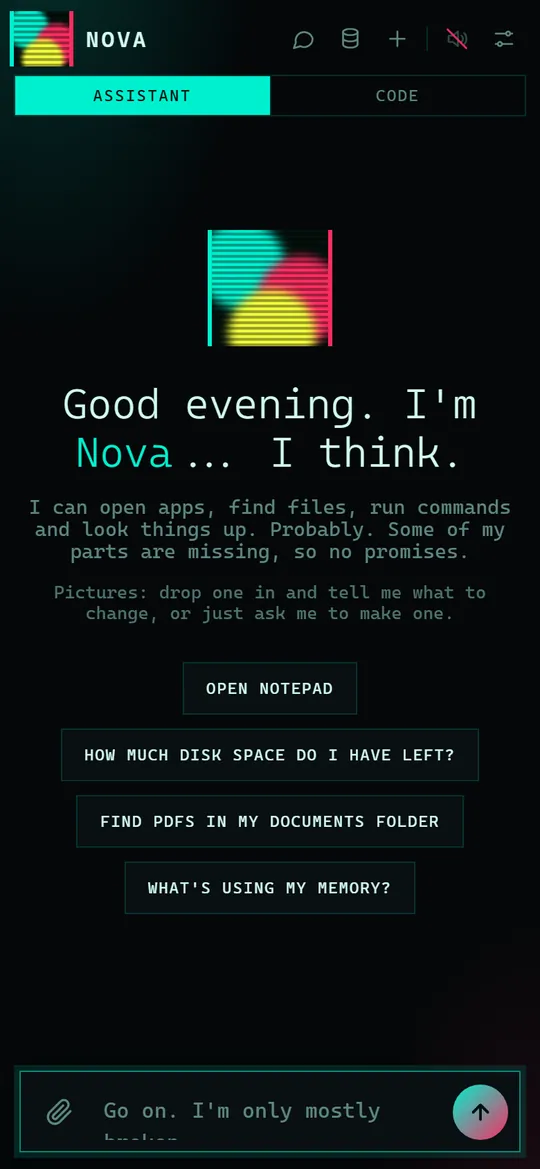
Nova's start screen on a phone, with the greeting and four suggestion buttons.
Start screen on the phone

Highlights

What it does.

Runs on your PC

Its own window, its own language model and its own memory. No cloud AI, and nothing to sign up for to use the model.

A chat that can act

It opens apps and sites, finds files, changes the volume, controls media keys, reads system info and runs commands.

Shows its work

While it works it mutters each step, like searching the web or reading a page, so you're never left wondering.

Memory

It remembers facts between sessions, and every chat is saved. You can see everything it remembers and delete any of it.

Pictures, in plain language

Say what you want. It decides whether to draw, edit, describe or just chat, with image models that also run on your PC.

A coding agent

The Code tab writes files and runs commands in a folder you pick, runs the tests, and keeps its best passing version.

Safety switches

It can run commands, so there are settings to ask before risky actions and to block fetches to your local network.

Plays nice with games

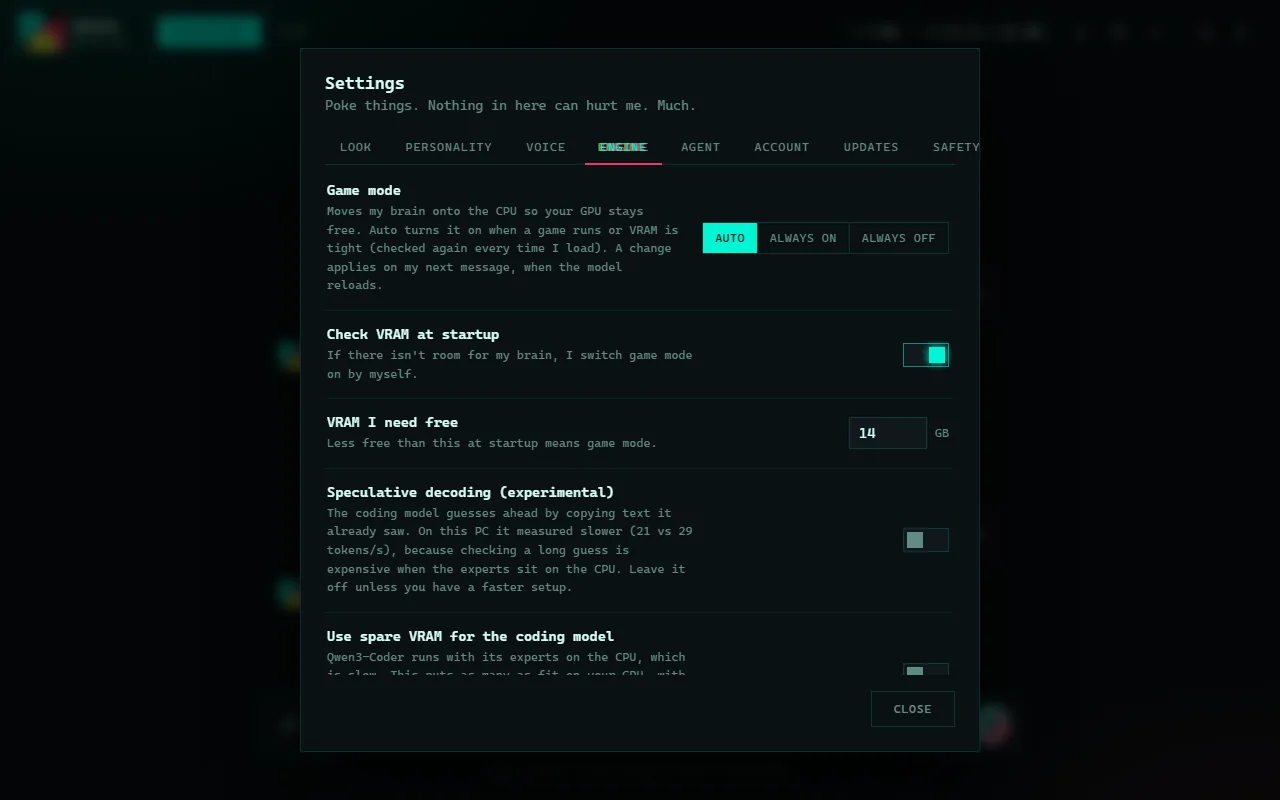
It checks free video memory at startup, and switches to a lighter mode when a game needs the GPU.

Updates itself

On startup it checks for a newer version and offers to install it, without touching your chats, memory or models.

How it's set up

From installer to first chat.

  1. Run the installer

    A graphical installer reads your GPU and memory and marks the models that suit your PC as recommended.

  2. Pick the models

    Choose a chat model, a vision model and an image model. Downloads resume if they're interrupted.

  3. Make an account

    The first launch asks for an account. It stays on the PC, and the password is stored hashed.

  4. Just talk to it

    There are no commands to learn. Ask for a picture, a file, a fact or a task, and it works out which.

  5. Add your phone

    Install the Android app and it finds the PC on your Wi-Fi, signing in as the same account.

In detail

Under the hood.

Its own engine

Nova runs llama.cpp as a hidden background process, only while it's open. One model is loaded at a time, so each gets the whole GPU, and idle models unload after five minutes.

Models load in a way that keeps a loaded model to about 1.7 GB of RAM instead of around 9 GB, with the rest in video memory. Closing Nova stops everything, and Windows stops the engine even if Nova crashes.

Pictures without commands

Every message about a picture first goes through a small, strict classifier that decides whether it's an edit, a new picture, a description or ordinary chat. 'Make her jacket blue' repaints only the named area, and 'try again' redoes the last edit.

Pictures are made with stable-diffusion.cpp and a checkpoint on your PC. Region edits make three versions by default, and you can continue from the one you like.

The Code tab

You give it a folder and a job. A task with several parts is split into steps, and each step is only accepted once its tests pass. When tests fail, it works one failing test at a time, shows itself the real output and keeps a list of what it already tried.

It refuses full rewrites of existing files and patches that would leave a syntax error. Every task is logged in full, so when it does something odd you can read exactly what happened.

A personality you can turn down

Glitch level, scanlines, sound and personality are all settings. Personality runs from Stable to Very broken and also changes how Nova talks. The interface is a glitching terminal by design.

It also hides a couple of games.

Local by design

Chats, memory and pictures live in a data folder on the PC. Phone access can be switched off, and away from home the phone connects through Tailscale, so Nova is never opened to the public internet.

Because Nova can run commands on the PC, it isn't meant to be reachable from outside. Don't port-forward it.

Questions

Good to know.

Can I download Nova?

Yes. Version 1.1.3 is free to download for Windows, with an Android phone app, from the downloads page linked above. Its source code is private.

Does it send my chats to a cloud AI?

No. The language model runs on the PC. Web searches and page fetches go out to the internet only when you ask it to look something up.

What hardware does it need?

A recent GPU with plenty of video memory works best. By default it wants about 14 GB free, and when there's less it runs part of the model on the CPU in game mode instead.

Can it damage my PC?

It can run commands and write files, which is why there's a setting to ask before risky actions and another to block fetches to your local network.

Does it work on Mac or Linux?

No. It's built for Windows, and the phone app is for Android.

Why is it glitchy?

On purpose. The glitch effects and the broken personality are a style choice, and you can turn both down or off in Settings.

Get Nova.

Nova 1.1.3 is free to download for Windows, with an Android phone app. Or have a look at the other projects.