Web app · For convention centers

GestionDirecte

Every booking, on the right screen for every team.

GestionDirecte runs the day of a convention center: who is in which room, what the kitchen must know, when the room needs setting. It's available as a service for convention centers and venues with meeting rooms.

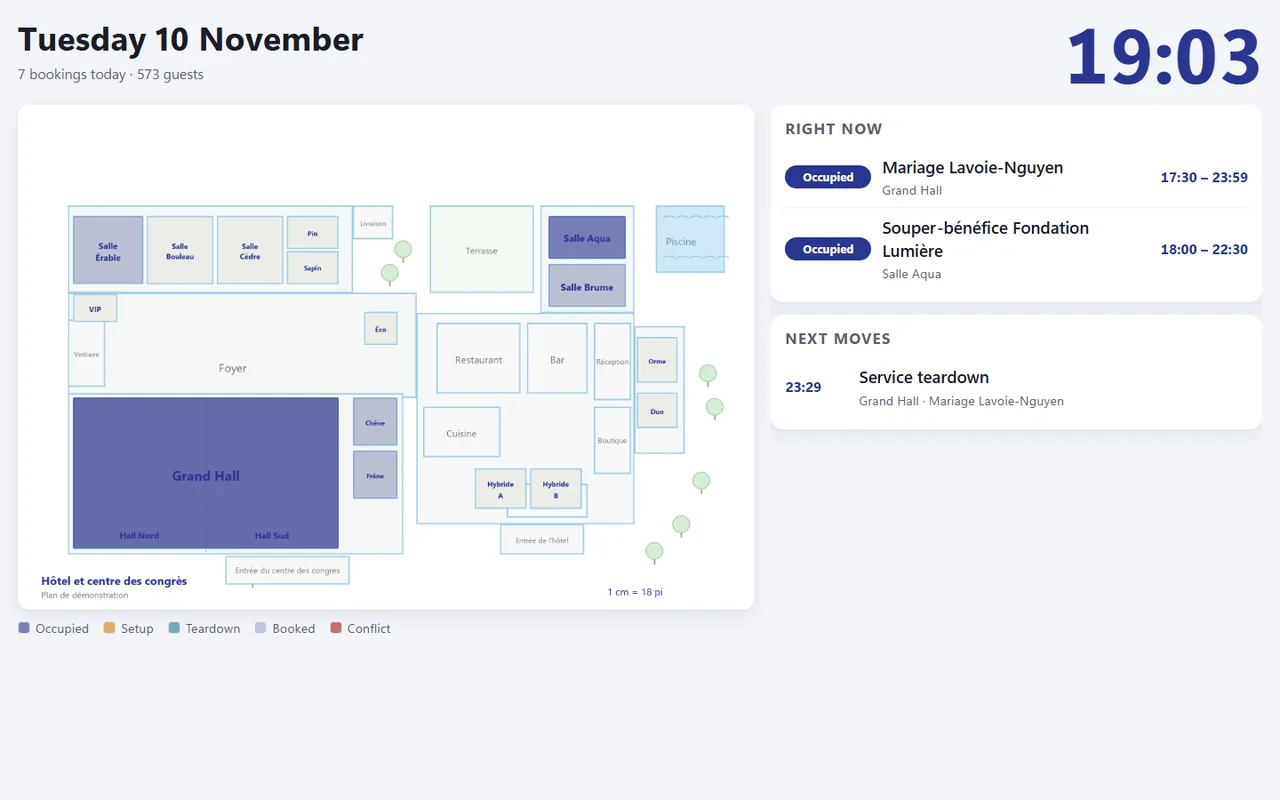
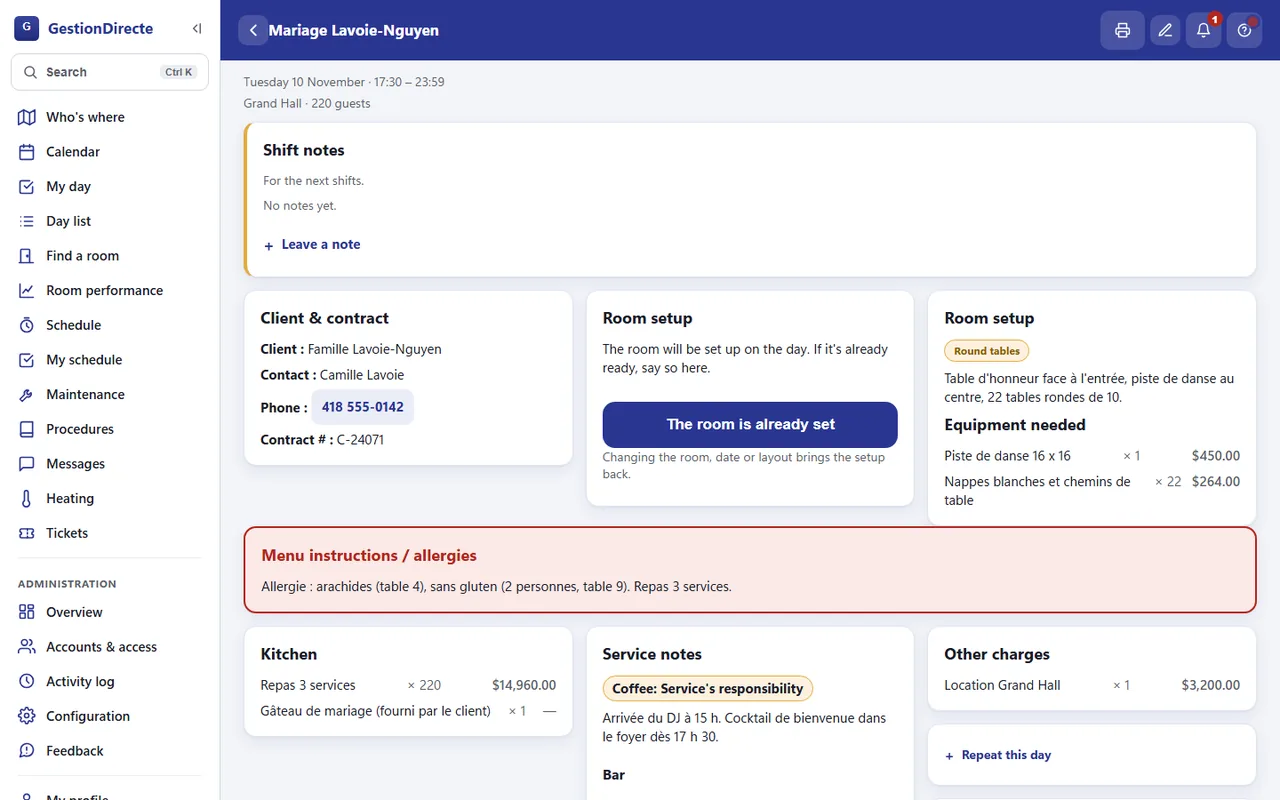
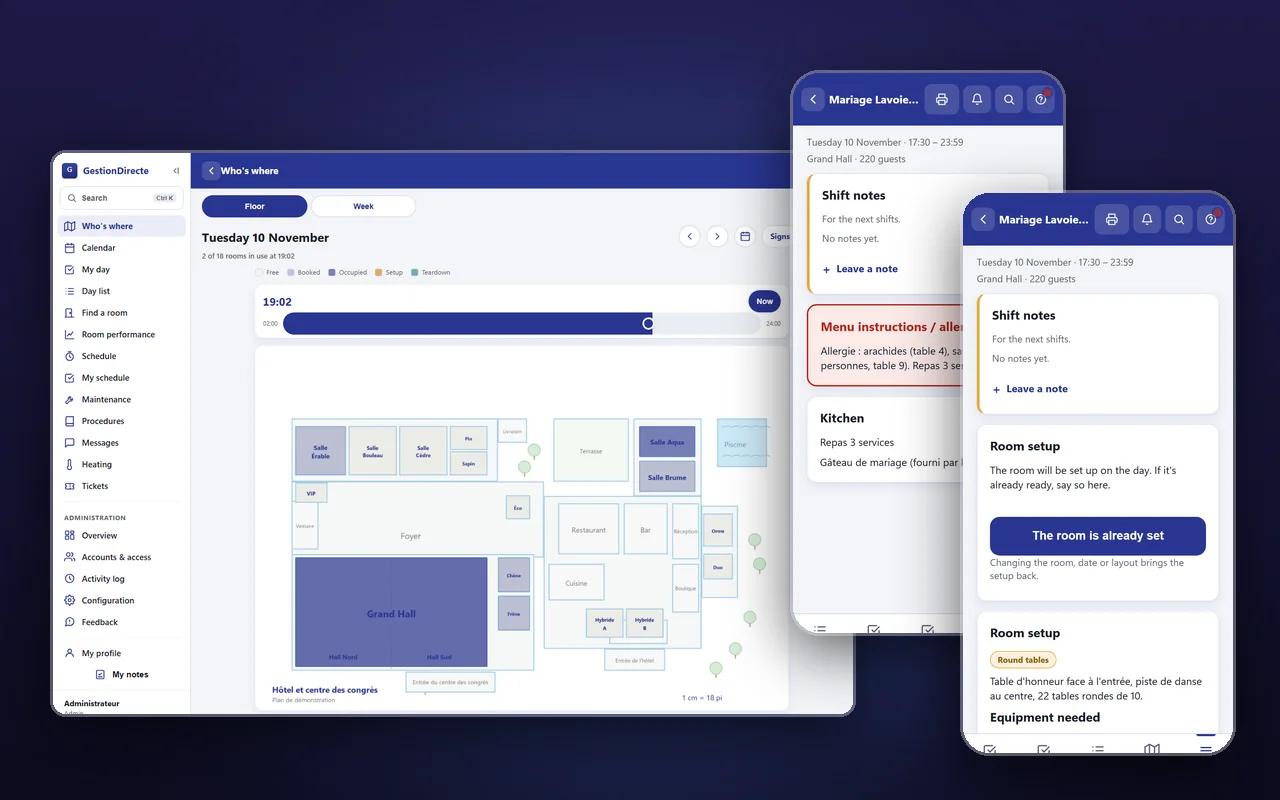
The GestionDirecte floor plan of a demo hotel on a desktop, with two phone screens showing the same wedding booking.
Type
Web app
For
Convention centers
Languages
French, English
Availability
As a service

What it is

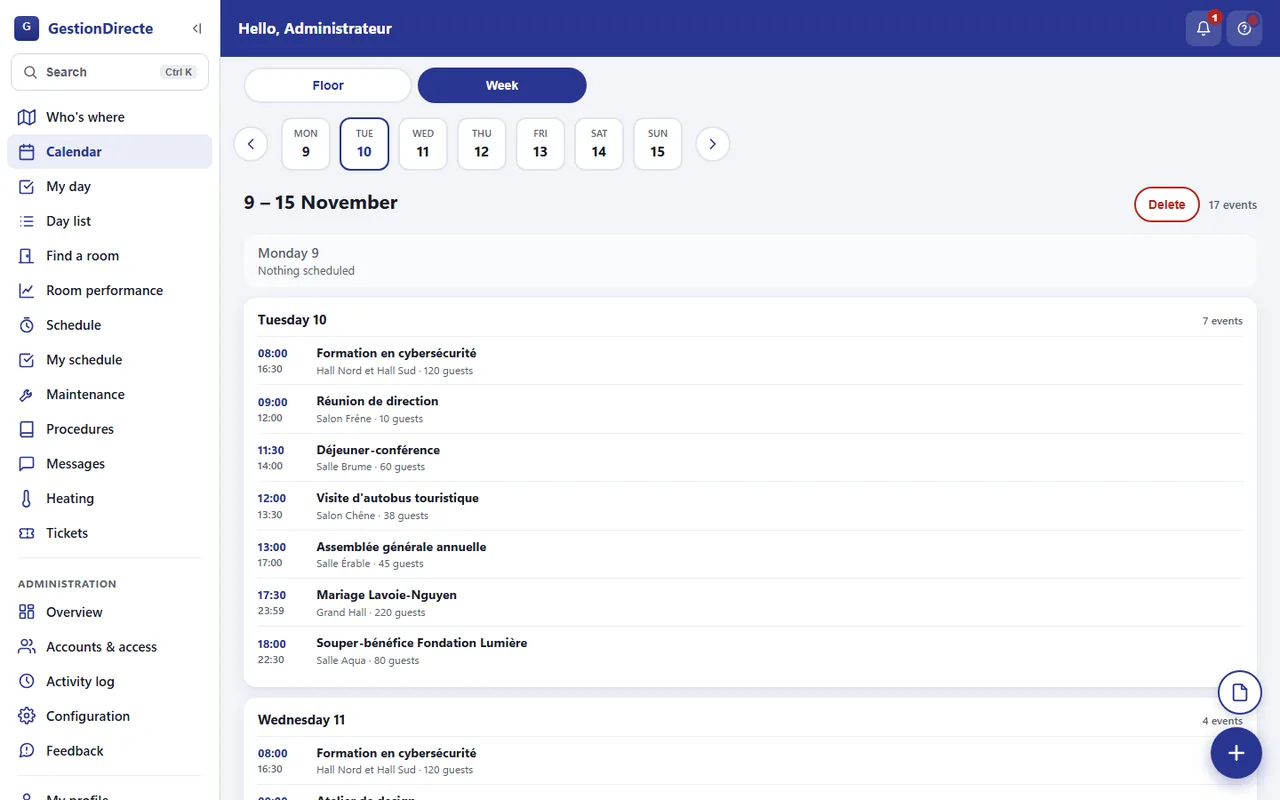
A convention center's day lives in booking sheets, spreadsheets, phone calls and sticky notes. GestionDirecte puts all of it in one place: one booking becomes a session per room per day, and each team sees only the part that is its job.

The kitchen sees the menu and the allergy warning. Room setting sees the layout, the equipment and when to build it. Service sees the bar and the coffee. Sales sees the client and the prices. Managers see everything, and can step in when two bookings collide.

It's installable on phones and tablets, runs in French and English, and shows what is happening in the building on a floor plan, on wall screens and on a lobby board for guests.

GestionDirecte is available as a service for convention centers. The screenshots on this page use a made-up hotel, made-up rooms and invented bookings.

Screenshots

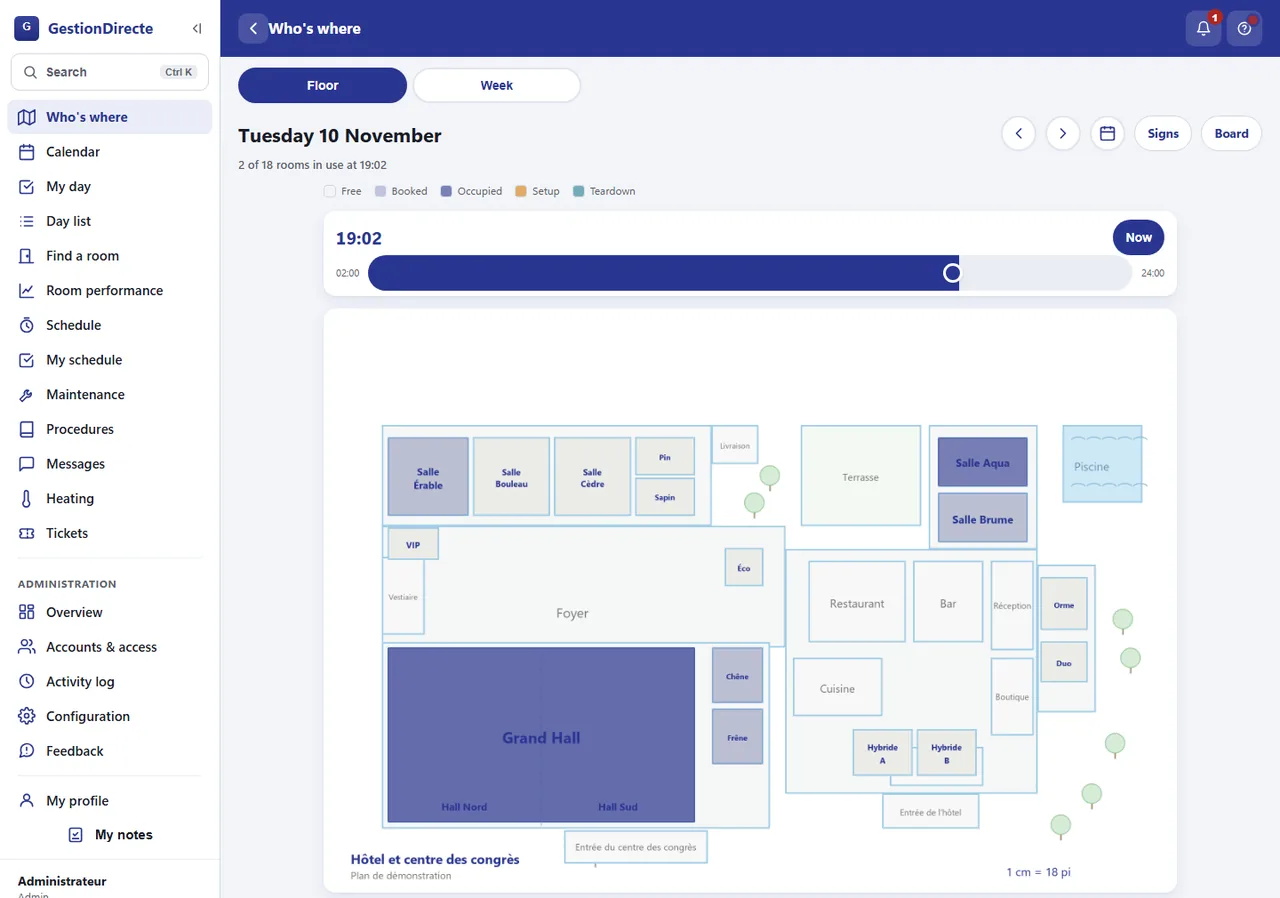
The building, on one screen.

One booking, three screens

Each team sees its own part.

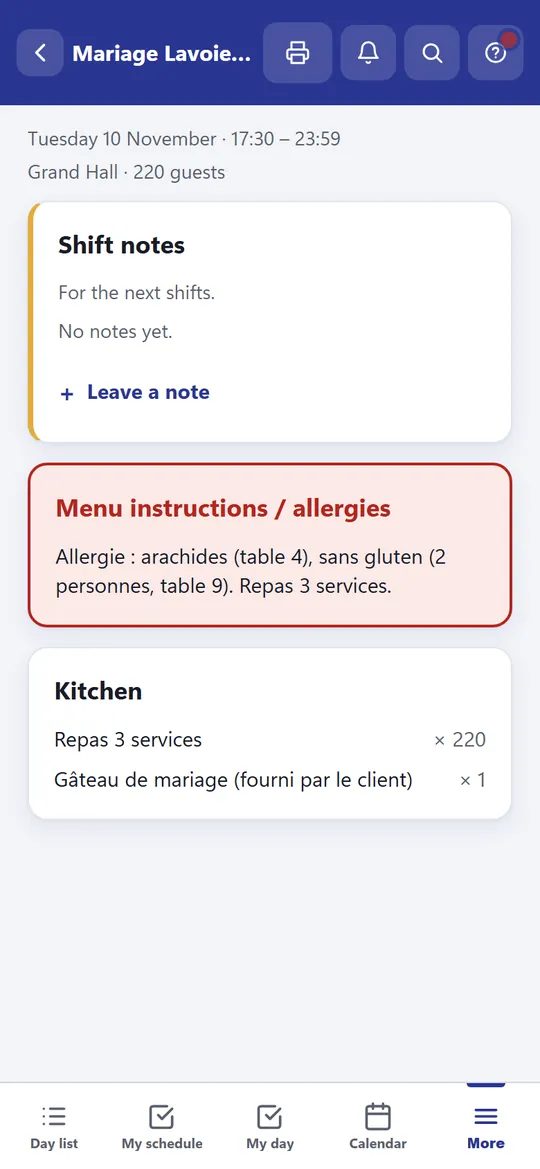
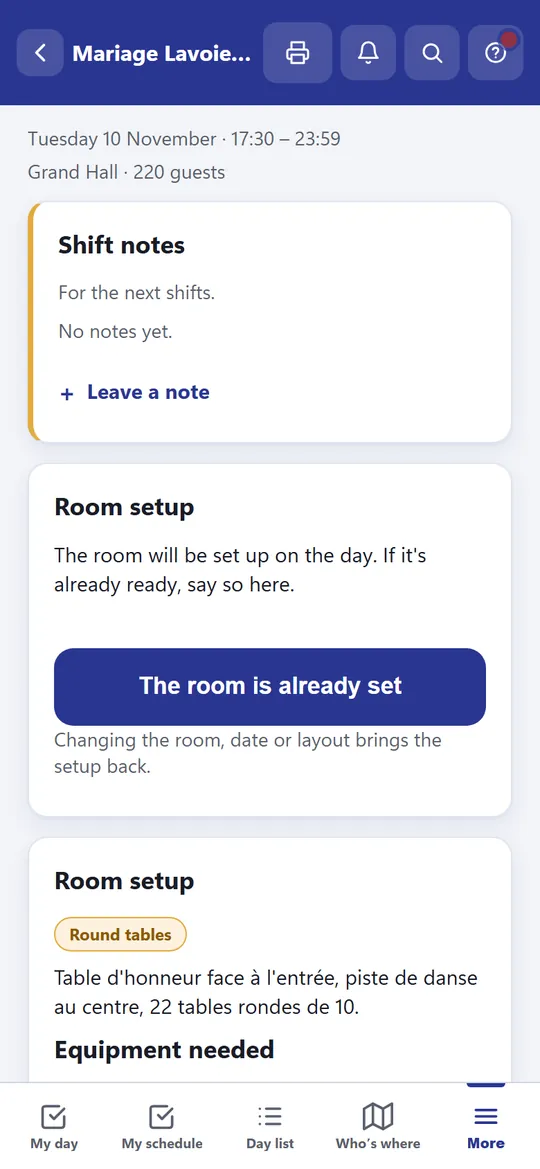
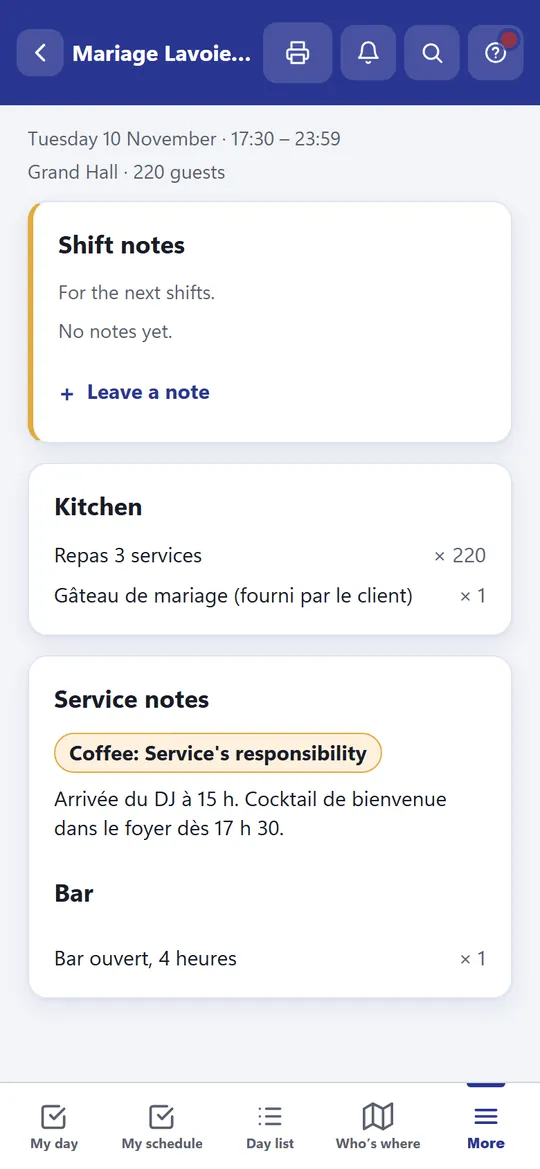
Here is the same wedding as seen by three teams. The kitchen gets the allergy warning, room setting gets the layout and the equipment, and service gets the bar and the coffee. Prices stay hidden unless a manager turns them on for that team.

The Kitchen team's view of the wedding: a red allergy box and the catering items, with no prices.
Kitchen
The Room Setting team's view of the same wedding: the table layout, the equipment needed and a button to say the room is already set.
Room setting
The Service team's view of the same wedding: the coffee is Service's job, the bar line and the kitchen items, and nothing about the room layout.
Service
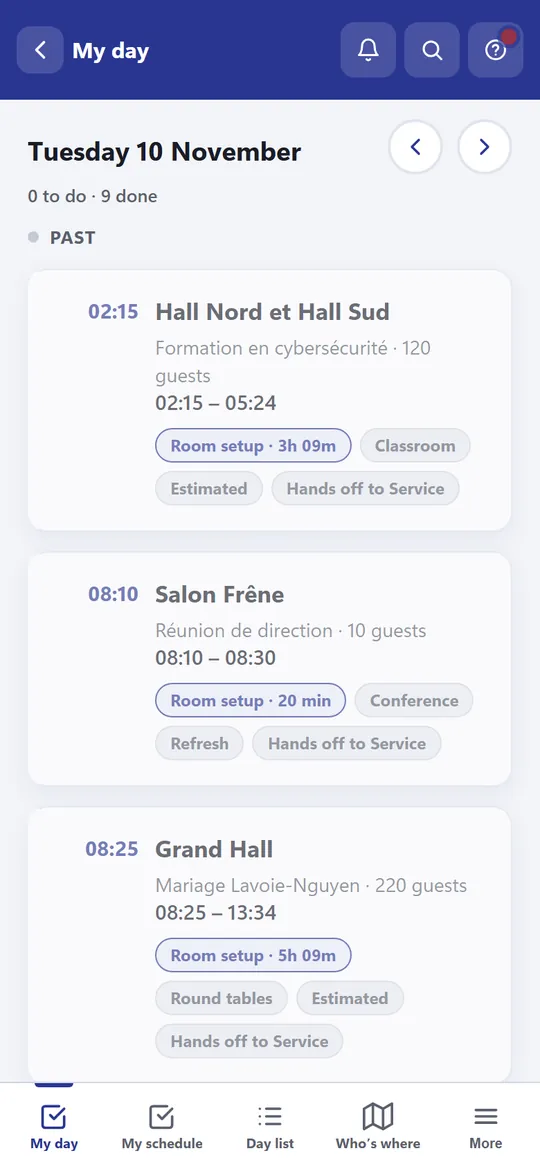
The Room Setting team's My day list: what is still to schedule, then past work with its setup time, an Estimated badge and a handoff to Service.
A team's day
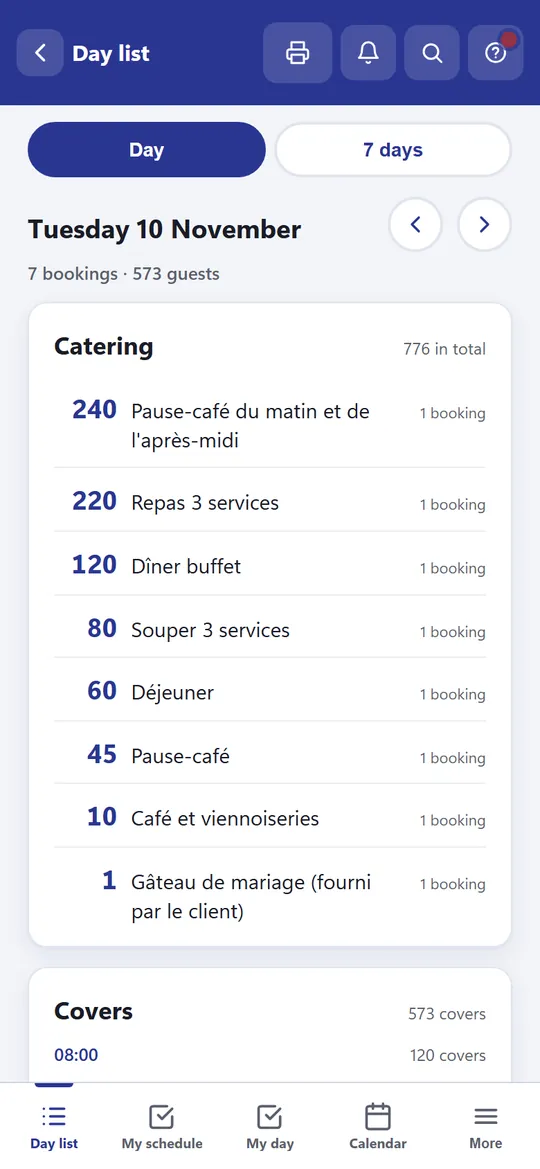
The Kitchen day list: every catering item for the day added up across bookings, with a total of 776 and 573 covers.
Kitchen's day list

Highlights

What it does for a venue.

One booking, many sessions

A booking fans out into one session per room per day, which is the unit a calendar and a team really work with.

Each team sees its own slice

Kitchen, service, room setting, sales and maintenance each get a filtered view, enforced by the server and not just hidden on the page.

A live floor plan

A plan of the building shows which rooms are free, booked, occupied, being set up or being torn down, at any time of day.

Import with a human check

Booking sheets in PDF are read into bookings, and each import waits for a manager's review before any team can see it.

Conflicts caught early

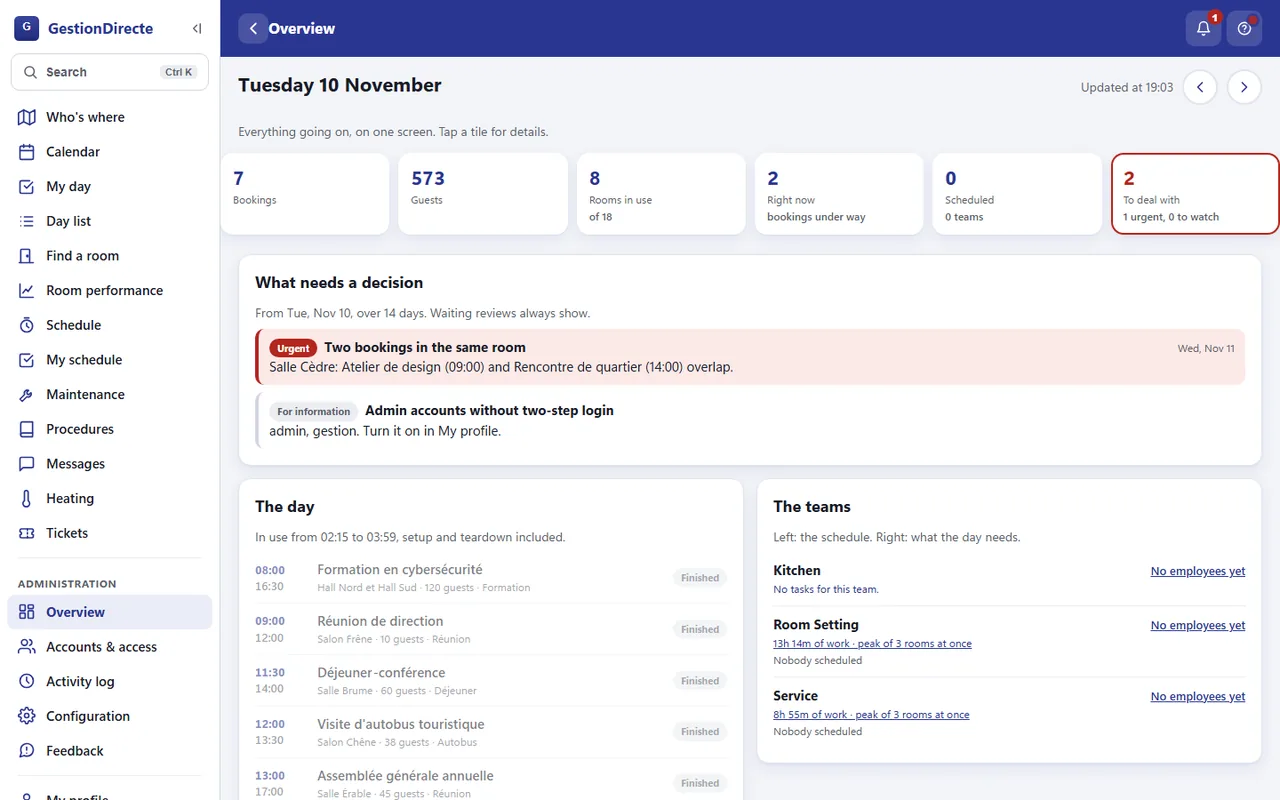
Two bookings in the same room, or a room that cannot be reset between two events, show up as something to decide.

Work planned on the clock

Setup and teardown are placed around each booking from estimates by layout and headcount, and each team gets a My day list.

Allergies can't slip through

Allergy notes sit in a red box for the kitchen, and anything the importer can't place goes to a manager instead of being guessed.

Shift notes

A note left on a booking reaches the next shift, and an important one stays on screen until the people it is for have read it.

Capacity and room yield

Floor area and layout give how many a room seats, and reports show what rooms earn and what they cost.

A day with it

From booking to handoff.

  1. Bring the bookings in

    Enter a booking or import its PDF sheet. Imports arrive as pending, so nothing reaches a team unreviewed.

  2. Review and publish

    A manager checks the rooms, layout, notes and times, fixes what the importer guessed, and publishes.

  3. Teams open their day

    Each team opens My day or the day list on a phone and sees its own work, placed on the clock.

  4. Watch the floor

    The floor plan and the wall screens show what is occupied, being set up or being torn down, and the lobby board shows guests where to go.

  5. Hand off

    Teams leave shift notes and mark rooms ready. The next shift starts from what was left.

In detail

Built around how a venue works.

Roles, enforced by the server

There are six roles: manager, a management role, kitchen, service, room setting, sales and maintenance. Each one is checked on the server for every request, so a screen can't leak what its role was never given.

A booking that is still pending review doesn't exist for anyone but managers, and the maintenance role sees only which rooms are rented and when, with no clients, no headcount and no prices.

Work times, with their source

Setup and teardown are laid out around the event. A time a person set always wins, then the estimate from the room layout, and the screen says which one it is, so an estimate never looks like a decision.

Teardown of a room waits for the linen to be cleared, which is why service's strip can overlap the end of an event but room setting's can't.

Screens for the building

A back-of-house display shows the floor plan, a clock and the next handoffs, and keeps itself up to date. A separate lobby board for guests shows only who is where and the free rooms, with no guest counts and no internal details.

The lobby board opens from a private link, so the screen needs no account, and generating a new link switches the old one off.

Works where the signal doesn't

The app installs on a phone like any other app. The floor plan, My day and the day list keep answering for the current day with no signal, say so when they are showing a saved copy, and never write anything while offline.

Trust and backups

Every important action is written to an activity log. Accounts can turn on two-step login with an authenticator app, and sessions expire after a day away.

The database is backed up every night, each backup is checked by opening it again, and the overview warns when the newest one is too old, because backups fail silently.

Available as a service

GestionDirecte isn't a download. It's offered as a service for convention centers and venues with meeting rooms, set up around your rooms, floor plan, layouts and teams.

If your days run on PDFs, spreadsheets and phone calls, get in touch and tell me about your venue.
Questions

Good to know.

Can I download or buy it?

No. GestionDirecte is available as a service for convention centers and venues. Use the contact button to tell me about yours.

Who is it for?

Convention centers, hotels with meeting rooms and any venue that rents rooms with catering and setup, where one booking turns into work for several teams.

Can it import our bookings?

Yes. It reads PDF function sheets from a booking system, and it can read a team's schedule from an Excel workbook. Imported bookings wait for review before anyone on a team sees them.

Is the data in the screenshots real?

No. The hotel, rooms, clients and bookings are all made up for the demonstration.

Does it work on phones?

Yes. It installs from the browser on phones and tablets, and today's floor plan and day lists keep working with no signal.

Which languages?

French and English. Each person picks their own.

Is it open source?

No. It's a private project, offered as a service.

Run your venue on it.

GestionDirecte is available as a service for convention centers. Tell me about your venue and what your days look like.